

If you are using WordPress to run a blog, affiliate website, or online business, installing the right plugins is one of the most important things you can do. In this guide about the best WordPress plugins for bloggers, you will learn which plugins are essential for SEO, speed, security, backups, email marketing, and affiliate marketing.
Many beginner bloggers install too many plugins without understanding what each plugin does. As a result, their website becomes slow, insecure, or difficult to manage. On the other hand, professional bloggers use a small number of powerful plugins that improve website speed, SEO rankings, security, and user experience.
Therefore, choosing the right plugins is not just about adding features. Instead, it is about building a fast, secure, and SEO-friendly website that can grow over time. In addition, the right plugins can help you increase traffic, collect emails, improve conversions, and make money from your blog.
In this article, we will look at the best WordPress plugins for bloggers in 2026, including SEO plugins, speed optimization plugins, security plugins, backup plugins, email marketing plugins, and affiliate marketing plugins. By the end of this guide, you will know exactly which plugins every blogger should install and which plugins you should avoid.
Quick Answer – Best WordPress Plugins for Bloggers
What are the best WordPress plugins for bloggers?
The best WordPress plugins for bloggers include SEO plugins like Yoast SEO, speed plugins like LiteSpeed Cache, security plugins like Wordfence, backup plugins like UpdraftPlus, and email marketing plugins like MailPoet. These plugins help improve SEO, speed, security, and blog growth.
Table of Contents
- What Are WordPress Plugins
- Why Plugins Are Important for Bloggers
- Why This Topic Matters for Beginners
- Best WordPress SEO Plugins
- Best WordPress Speed Plugins
- Best WordPress Security Plugins
- Best WordPress Backup Plugins
- Best WordPress Email Marketing Plugins
- Best WordPress Affiliate Marketing Plugins
- Best WordPress Content Plugins
- Must-Have WordPress Plugins List
- Comparison of the Best WordPress Plugins for Bloggers
- How Many Plugins Should You Install
- Common Plugin Mistakes
- Tips for Choosing Plugins
- Practical Tips for Better Results
- Best Tools and Platforms Bloggers Can Use with Plugins
- Expert Tips for Bloggers Using WordPress Plugins
- How to Install WordPress Plugins
- How to Get Started Today
- Final Thoughts
- FAQ
- FAQ Schema Format
What Are WordPress Plugins
WordPress plugins are tools that add new features and functions to your WordPress website. Without plugins, a WordPress website is very basic. However, with plugins, you can add SEO tools, contact forms, security features, backups, speed optimization, and many other features.
For example:
- SEO plugin improves search engine ranking
- Cache plugin improves website speed
- Security plugin protects your website
- Backup plugin protects your data
- Email plugin helps collect subscribers
Because of this, plugins are very important for bloggers and website owners.
Why Plugins Are Important for Bloggers
Plugins are important because they help bloggers grow their websites faster and more efficiently. Without the right plugins, managing a blog becomes difficult and time-consuming.
Plugins help bloggers:
- Improve SEO rankings
- Increase website speed
- Protect the website from hackers
- Create backups
- Collect email subscribers
- Manage affiliate links
- Improve user experience
- Increase traffic
- Increase conversions
- Grow online business
Therefore, installing the best WordPress plugins for bloggers is one of the most important steps when building a successful blog.
Why This Topic Matters for Beginners
Many beginners think WordPress plugins are optional. However, the right plugins can make a big difference in how your blog performs. For example, a good SEO plugin helps your content rank better on Google, while a speed plugin helps your pages load faster.
In addition, beginners often make the mistake of installing too many plugins without a clear purpose. As a result, their websites become slow, cluttered, and harder to manage. That is why understanding the best WordPress plugins for bloggers is so important from the beginning.
When beginners choose the right plugins early, they save time, improve their blog structure, and avoid many common technical problems later.
Best WordPress SEO Plugins for Bloggers
SEO is very important for bloggers because most blog traffic comes from search engines like Google. Therefore, every blogger should install an SEO plugin.
Recommended SEO Plugins
- Yoast SEO
- Rank Math SEO
- All in One SEO
- SEOPress
These plugins help with:
- Meta titles
- Meta descriptions
- XML sitemap
- SEO analysis
- Keyword optimization
- Schema markup
- Readability analysis

Most beginner bloggers use Yoast SEO because it is easy to use and beginner friendly.
Best WordPress Speed Plugins
Website speed is very important for SEO and user experience. A slow website can reduce traffic, rankings, and conversions. Therefore, speed optimization plugins are very important.
Recommended Speed Plugins
- LiteSpeed Cache
- WP Rocket
- W3 Total Cache
- Autoptimize
- Perfmatters
Speed plugins help with:
- Cache
- Image optimization
- CSS optimization
- JavaScript optimization
- Lazy loading
- Database cleanup
- CDN integration
Because of these features, speed plugins can make your website much faster.
Best WordPress Security Plugins
Website security is very important because hackers often attack WordPress websites. Therefore, security plugins help protect your website from attacks.
Recommended Security Plugins
- Wordfence Security
- Sucuri Security
- iThemes Security
- All In One WP Security
Security plugins help with:
- Firewall protection
- Malware scanning
- Login protection
- Brute force protection
- Security monitoring
- Website protection
Because of security plugins, your website becomes safer.

Best WordPress Backup Plugins
Backups are very important because websites can crash, get hacked, or lose data. Therefore, backup plugins help protect your website data.
Recommended Backup Plugins
- UpdraftPlus
- BackupBuddy
- Jetpack Backup
- BlogVault
Backup plugins help with:
- Automatic backups
- Scheduled backups
- Cloud backups
- Restore website
- Website migration
Every blogger should install a backup plugin.
Best WordPress Email Marketing Plugins
Email marketing helps bloggers collect email subscribers and grow their audience. Therefore, email marketing plugins are very important for blog growth.
Recommended Email Plugins
- MailPoet
- FluentCRM
- Mailchimp for WordPress
- ConvertKit Plugin
Email plugins help with:
- Email subscribers
- Email campaigns
- Newsletter
- Email automation
- Lead generation
- Email forms
Email marketing is very important for blogging and affiliate marketing.
Best WordPress Affiliate Marketing Plugins
Affiliate marketing plugins help bloggers manage affiliate links and increase affiliate income.
Recommended Affiliate Plugins
- Pretty Links
- ThirstyAffiliates
- Lasso
- AffiliateWP
Affiliate plugins help with:
- Link cloaking
- Link tracking
- Affiliate link management
- Click tracking
- Affiliate reports
These plugins are very useful for affiliate bloggers.
Best WordPress Content Plugins
Content plugins help bloggers create better content and improve user experience.
Recommended Content Plugins
- Elementor
- Gutenberg Blocks
- Table of Contents Plugin
- WPForms
- ShortPixel
- Smush
- Internal Link Juicer
These plugins help with:
- Page design
- Contact forms
- Table of contents
- Image optimization
- Internal linking
- Content layout
Must-Have WordPress Plugins List
Here is a simple list of must-have plugins:
| Plugin Type | Plugin Name |
|---|---|
| SEO | Yoast SEO |
| Speed | LiteSpeed Cache |
| Security | Wordfence |
| Backup | UpdraftPlus |
| MailPoet | |
| Affiliate | Pretty Links |
| Forms | WPForms |
| Images | ShortPixel |
| Internal Links | Internal Link Juicer |
| Table of Contents | Easy Table of Contents |
This is a very good plugin setup for bloggers.
Comparison of the Best WordPress Plugins for Bloggers
Different plugins solve different problems. Therefore, bloggers should not choose plugins randomly. Instead, they should understand what each plugin category does.
| Plugin Category | Main Purpose | Best Example |
|---|---|---|
| SEO Plugin | Improve on-page SEO and search visibility | Yoast SEO |
| Speed Plugin | Improve loading time and caching | LiteSpeed Cache |
| Security Plugin | Protect site from attacks and malware | Wordfence |
| Backup Plugin | Restore site if something goes wrong | UpdraftPlus |
| Email Plugin | Collect and manage subscribers | MailPoet |
| Affiliate Plugin | Manage and track affiliate links | Pretty Links |
| Form Plugin | Create contact and signup forms | WPForms |
This comparison makes it easier for bloggers to build a balanced plugin setup instead of relying on only one or two tools.
How Many Plugins Should You Install
Many beginners install too many plugins. However, too many plugins can slow down your website.
Recommended number of plugins:
- Minimum: 8
- Good: 10–12
- Maximum: 15–18
Instead of installing many plugins, install only important plugins.
Common Plugin Mistakes Bloggers Make
Common mistakes include:
- Installing too many plugins
- Installing outdated plugins
- Installing duplicate plugins
- Not updating plugins
- Not using backup plugin
- Not using security plugin
- Using heavy plugins
- Not deleting unused plugins
Avoiding these mistakes will improve your website performance.
Tips for Choosing Plugins
When choosing plugins:
- Check plugin ratings
- Check number of installs
- Check last update
- Check compatibility
- Avoid heavy plugins
- Use popular plugins
- Don’t install duplicate plugins
- Test plugin speed impact
- Read reviews
Choosing the right plugins is very important for blog performance.
Practical Tips for Better Results
To get the most value from the best WordPress plugins for bloggers, follow these practical tips:
- Install only the plugins you truly need.
- Update plugins regularly to avoid security problems.
- Delete inactive plugins instead of leaving them installed.
- Test site speed after installing a new plugin.
- Avoid using two plugins that do the same job.
- Choose plugins with strong ratings and frequent updates.
- Back up your site before making major plugin changes.
These small habits can protect your website and keep it running smoothly.
Best Tools and Platforms Bloggers Can Use with Plugins
Plugins work even better when combined with the right tools and platforms. For example, an SEO plugin becomes more useful when you also use keyword research tools and analytics tools.
Helpful tools bloggers can use alongside WordPress plugins include:
- Google Search Console for indexing and performance tracking
- Google Analytics for visitor data
- Ahrefs for keyword and backlink research
- Semrush for SEO analysis
- Canva for blog graphics
- ConvertKit or Mailchimp for advanced email marketing
Therefore, bloggers should think of plugins as part of a bigger blogging system, not as isolated tools.
Expert Tips for Bloggers Using WordPress Plugins
Professional bloggers usually follow a simple rule: fewer, better plugins. They focus on performance, user experience, and long-term growth.
Here are a few expert tips:
- Start with essential plugins first, then expand only when needed.
- Prioritize speed, SEO, and security before design extras.
- Review your plugin list every few months.
- Use lightweight tools whenever possible.
- Do not install a plugin just because it looks useful. Install it only if it solves a real problem.
- Always check whether your theme or hosting already provides a feature before adding a separate plugin.
This approach keeps your website cleaner and more scalable.
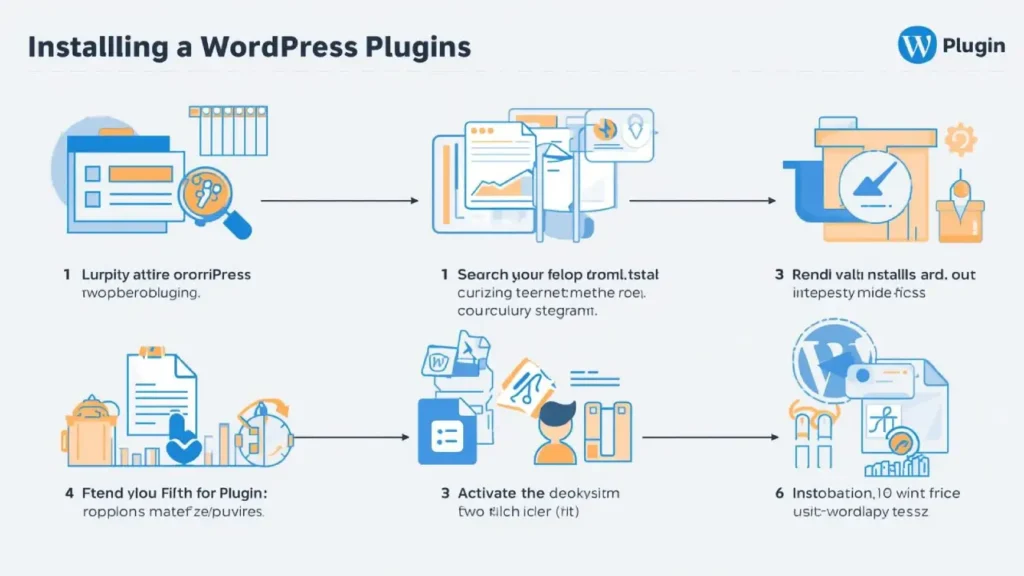
How to Install WordPress Plugins
Step-by-Step Guide
- Login to WordPress dashboard
- Go to Plugins → Add New
- Search plugin name
- Click Install
- Click Activate
- Configure plugin settings
- Test your website
- Delete unused plugins
Installing plugins is very easy in WordPress.
How to Get Started Today
If you are ready to improve your blog, start with a simple plan today:
Step 1
Install an SEO plugin such as Yoast SEO.
Step 2
Install a speed plugin such as LiteSpeed Cache or WP Rocket.
Step 3
Add a security plugin like Wordfence.
Step 4
Set up backups with UpdraftPlus.
Step 5
Install an email plugin or form plugin to begin building your list.
Step 6
Add an affiliate link plugin if you plan to monetize your content.
This setup gives you a strong blogging foundation without making your website too heavy.
Final Thoughts
Choosing the best WordPress plugins for bloggers is very important if you want to build a fast, secure, and successful blog. The right plugins can improve SEO, increase speed, protect your website, collect email subscribers, and increase affiliate income.
Instead of installing many plugins, focus on installing important plugins that improve performance and blog growth. Over time, you can test new plugins and improve your website.
If you are serious about blogging, affiliate marketing, and online business, installing the right WordPress plugins is one of the most important steps you can take.
Frequently Asked Questions
What are the best WordPress plugins for bloggers?
The best WordPress plugins for bloggers include Yoast SEO, LiteSpeed Cache, Wordfence, UpdraftPlus, MailPoet, Pretty Links, and WPForms.
How many WordPress plugins should I install?
Most blogs should install between 10 and 15 plugins to keep the website fast and efficient.
Do plugins slow down WordPress?
Too many plugins or heavy plugins can slow down your website, but good plugins improve performance.
Which SEO plugin is best for WordPress?
Yoast SEO and Rank Math are the most popular SEO plugins for WordPress bloggers.
Do I need a backup plugin?
Yes, every WordPress website should have a backup plugin to protect website data.
FAQ Schema Format
Question: What are the best WordPress plugins for bloggers?
Answer: The best WordPress plugins for bloggers include Yoast SEO, LiteSpeed Cache, Wordfence, UpdraftPlus, MailPoet, Pretty Links, and WPForms.
Question: How many WordPress plugins should a blogger install?
Answer: Most bloggers should keep their plugin setup focused and install only the essential plugins, usually around 10 to 15 depending on their website needs.
Question: Do WordPress plugins slow down a website?
Answer: Too many plugins or poorly coded plugins can slow down a website, but high-quality plugins can improve performance and functionality.
Question: Which SEO plugin is best for WordPress bloggers?
Answer: Yoast SEO and Rank Math are among the most popular SEO plugins for WordPress bloggers because they are easy to use and effective.
Question: Do bloggers need a backup plugin?
Answer: Yes, every blogger should use a backup plugin to protect their website data and recover quickly if something goes wrong.
Internal Linking Suggestions
Add links to your Articles:
- How to Start a Blog in 2026 → Introduction
- Best Blogging Tools for Beginners → Tools section
- SEO for Bloggers in 2026 → SEO plugins section
- Affiliate Marketing for Beginners → Affiliate plugins section
- Best Keyword Research Tools → SEO section
- How to Grow Blog Traffic → Final sections
- Blogging Mistakes Beginners Must Avoid → Mistakes section
- Make Money Blogging in 2026 → Final section
External Linking Suggestions
Add links:
Additional Tips Readers Should Know
A plugin list alone is not enough. Bloggers also need to think about maintenance, updates, and site performance over time. Even the best plugin setup can become weak if it is not reviewed regularly.
Blog Promotion Ideas
After publishing this article, promote it through:
- relevant blogging groups
- email newsletter
- internal links from your older blogging articles
Future Article Ideas
This article can lead naturally to more related posts, such as:
- Best SEO Plugins for WordPress
- Best Cache Plugins for WordPress
- Best Affiliate Plugins for Bloggers
- WordPress Plugins to Avoid
- Free vs Paid WordPress Plugins
Optional Lead Magnets
You can also create:
- a PDF plugin checklist
- a WordPress setup checklist
- a beginner blog launch template
- a plugin audit worksheet
These can help you collect emails and improve engagement.